

Reframing Creative Boundaries
Leadership Strategy Behind Adobe Illustrator Beta
Generative Expand Feature Launch promo video
Role: Art Director (UX research, design, storytelling)
Leadership Skills: Strategic Storytelling Leadership | Cross-Functional Alignment | Vision Setting & Creative Direction | Decision-Making Under Ambiguity | Quality Elevation
Technical Skills: UX/UI | Visual Design | Figma prototypes | Photoshop expertise | Illustrator vectors | AfterEffects motion graphics | Video editing | UX research
Cross-functional Collaboration
Art Director (me)
Marketing Manager
ProDesign Executives (4)
ProDesign Management (3)
Studio Designer (vectors)
Tools
Figma
Adobe After Effects
Adobe Illustrator
Adobe Illustrator Beta
Adobe Firefly
Adobe Audition
Microsoft Teams
Slack
Dropbox
Timeframe
2 months
Overview
As Art Director for Adobe Illustrator’s Generative Expand (GenExpand) launch, I led the visual storytelling strategy for a flagship feature designed to fundamentally change how designers scale and adapt vector artwork.
Rather than showcasing a feature demo, I defined a narrative system that communicates a deeper shift:
Illustrator is no longer constrained by the canvas—it adapts with you.
The final animation was featured at Adobe MAX London 2025, positioning the feature as a key innovation within Adobe’s generative AI ecosystem.
The Challenge (Why This Matters)
Illustrator users—ranging from brand designers to motion artists—face a recurring friction:
Vector artwork is inherently rigid in format, while modern content demands constant resizing, reformatting, and contextual adaptation.
This creates:
-
Time-consuming manual adjustments
-
Broken compositions when scaling beyond original artboards
-
Friction in multi-channel design systems (social, web, motion)
At the same time, Adobe was introducing generative AI into vector workflows, a space where trust and precision are critical.
Project challenge
Abstract AI: Generative AI can feel unpredictable
Project challenge
Speed vs. Clarity: The feature works in seconds—but clarity requires explanation
Project challenge
Stakeholder Alignment at Scale: Multiple teams with different success metrics
Product (illustrator design) challenge
One asset: many formats (social, web, motion)
Product (illustrator design) challenge
Tight timelines: minimal room for rework
Product (illustrator Design) challenge
Brand systems: equire consistency at scale
Strategic Problem:
How do we communicate a technically complex AI feature in a way that feels intuitive, trustworthy, and creatively empowering—within seconds?
Objectives
-
Creative Direction
-
Design Principals Established
-
Leadership & Influence
-
Execution
-
Impact
1. Creative Direction

Strategic Approach (How I Solved It)
Narrative First, Feature Second
-
Instead of leading with functionality, I reframed the story:
-
“Design shouldn’t break when your canvas changes.”
-
This insight guided the entire visual direction.
-
We positioned GenExpand as:
-
Not just a tool, a creative safety net
-
Not just automation, continuity of intent
-
Designing for Immediate Comprehension
-
User Journey Framework
-
[1] Constraint: Artwork hits boundary
-
[2] Expansion: Canvas expands beyond original limits
-
[3] Continuity: New vector content seamlessly matches style
-
Storyboard Exploration

1. Constraint
-
Artwork tightly cropped inside an artboard
-
Subtle tension: elements pressed against edges

2. Activation
-
Canvas expands outward
-
Motion suggests “release” rather than “stretch”

3. Intelligence (AI)
-
New vector elements generate seamlessly
-
Style, gradients, and line work remain consistent

4. Resolution
-
Fully contextualized composition
-
Designed for new format (social, widescreen, etc.)
Visual System Decisions
-
To reinforce trust in AI-generated output, I established:
-
Precision-first motion language
Clean, controlled transitions (no “AI chaos”) -
Continuity cues
Matching anchor points, gradients, and line weights -
Minimal UI interference
Focus on artwork transformation, not tool complexity -
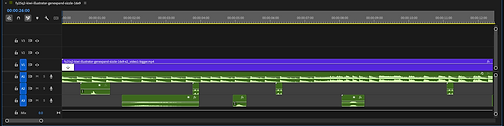
Simple sound effects
-
2. Design Principal Established
-
Precision Over Spectacle
-
Avoid “flashy AI effects”
-
Maintain Illustrator’s credibility
-
-
Invisible Intelligence
-
AI should feel like a natural extension of the designer
-
-
Continuity Signals
-
Repeating shapes, gradients, and vectors across boundaries
-
Smooth outward expansion (not scaling distortion)
-
Anchored motion from existing elements
-
No abrupt generation—everything flows from the original
-

3. Leadership & Cross-Functional Influence
This was a high-visibility, cross-org initiative involving:
-
Illustrator Product Team
-
Adobe ProDesign Executive Leadership
-
Motion & Studio Teams
-
Marketing & Brand
My Role as Art Director:
-
Defined the creative vision for how generative AI should “feel” in Illustrator
-
Translated product complexity into a clear, scalable narrative system
-
Led alignment across stakeholders with competing priorities:
-
Product accuracy vs. storytelling simplicity
-
Innovation vs. user trust
-
-
Mentored and guided motion designers on:
-
Maintaining vector authenticity in animation
-
Avoiding visual artifacts that could reduce trust
-
-
Personally executed final animations in Adobe After Effects, ensuring craft matched strategy
Key Challenges & How I Navigated Them
Project challenge
Abstract AI: Generative AI can feel unpredictable
Solution
Focused on predictability and continuity in every frame
Project challenge
Speed vs. Clarity: The feature works in seconds—but clarity requires explanation
Solution
Designed motion that visually explains itself without narration
Project challenge
Stakeholder Alignment at Scale: Multiple teams with different success metrics
Solution
Anchored decisions to a single principle: "Would a designer trust this output right away?"
4. Execution
-
Final animation built in After Effects
-
Designed for:
-
Keynote presentation
-
Product marketing
-
Social adaptation
-
-
Modular storytelling allowed:
-
Cutdowns
-
Reuse across campaigns
-
Final Design
5. Impact
-
Featured at Adobe MAX
London 2025 -
Elevated GenExpand as a hero feature in Illustrator Beta
Strategic Impact
-
Reduced friction in resizing and reframing workflows
-
Increased trust in generative vector outputs
User Impact
-
Increased Engagement across launch assets
-
Increased Feature discoverability
-
Adoption in early beta workflows
KPI
Conclusion: Strategic Takeaways
-
AI adoption depends on trust, not novelty
-
Great product storytelling removes the need for explanation
-
Motion design can function as UX—not just marketing
Why my approach succeeded:
-
Start with the user tension, not the feature
-
Align teams around a single narrative truth
-
Execute at a level where craft reinforces strategy
This project wasn’t about showing what GenExpand does.
It was about showing: What it unlocks.